
5 min read
A gaming mouse does not need to cost a fortune to feel fast and precise. The parts that matter for gaming, a reliable sensor, a comfortable shape, and a sensible weight, appear in mice at every price level. The expensive extras, such as:
- Screens
- Dozens of buttons
- Exotic materials
- Rarely change how well you play
This guide shows how to choose a gaming mouse without overspending. You will learn which specs matter, which ones are marketing, and how to pick a mouse that fits your hand and your games at a fair price.
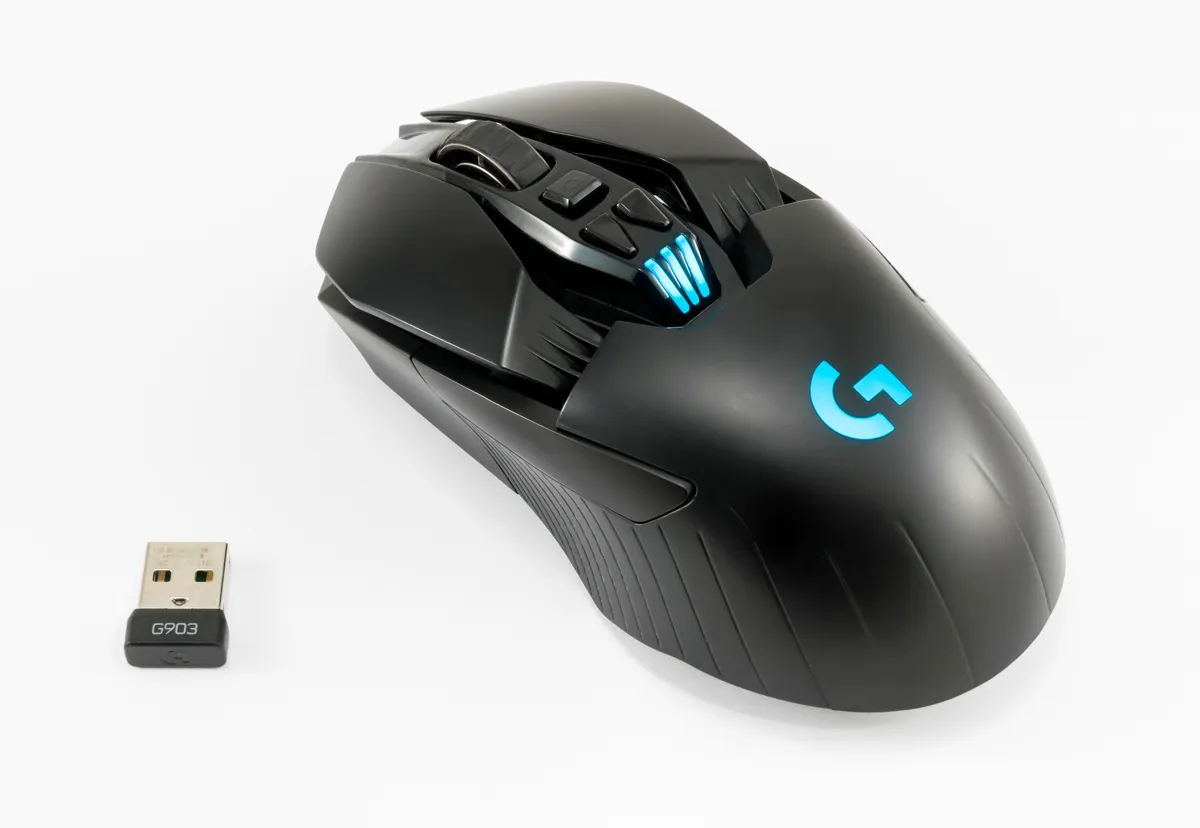
Shape and Size Matter More Than Specs
The shape of a mouse decides whether your hand stays comfortable during long sessions. A mouse that is too small forces a cramped claw grip, while a mouse that is too large forces the fingers to stretch.
Grip style narrows the choice further. Palm grip players rest the whole hand on the mouse and need a taller, longer body. Claw grip players arch the fingers and need a shorter body with a pronounced hump. Fingertip grip players hold the mouse with the fingertips alone and need a light, compact body.
Test the shape before you trust a spec sheet. If you can hold the mouse in a store, do it. If you buy online, check the return policy, and give the mouse a full week of real play before you judge it. A shape that feels odd on day one can still be the right shape once your hand adapts, but pain or numbness is a sign to return it.
Sensor, DPI, and Polling Rate Explained Simply
The sensor is the eye of the mouse, and any modern optical sensor from a known maker tracks accurately. Cheap mice with old sensors can spin out, jitter, or lose tracking on fast swipes, but every current gaming sensor, even in budget mice, tracks cleanly at the speeds most players use.
DPI measures sensitivity: how far the cursor moves for one inch of mouse movement. High DPI numbers are mostly marketing, since most players use 400 to 1600 DPI and adjust sensitivity in the game. A mouse that advertises 30000 DPI is not more precise than one that offers 12000; both cover far more sensitivity than any player needs.
Polling rate measures how often the mouse reports its position, in hertz. A 1000 Hz polling rate reports every millisecond and feels responsive. Higher rates such as 4000 or 8000 Hz offer a tiny improvement that most players cannot feel, and they cost more and use more battery on wireless mice.
Weight, Cable, and Wireless Choices
Weight is a matter of taste, and the trend favors lighter mice. A mouse between 50 and 80 grams feels quick and easy to move, which suits fast aim in shooters. Heavier mice feel steadier for slow, precise work, but they tire the wrist faster.
A flexible cable beats a stiff one on a wired mouse. A stiff cable drags and changes the feel of every swipe, while a soft paracord-style cable moves freely and nearly disappears. If you play on a desk where the cable catches, a cheap mouse bungee or a binder clip on the desk edge holds the cable up and out of the way.
Wireless gaming mice are now as fast as wired ones, and they free the desk from cable drag. The trade-off is battery and price: a wireless mouse costs more and needs charging.
Buttons, Build, and the Price Trap
Two side buttons cover most games, and a few extra buttons help in games with many abilities. Mice with twelve side buttons suit MMO players who bind a full ability bar, but they add weight and cost for everyone else. Count the buttons you actually use in your games, and buy for that number, not for the largest number on the box.
Switch quality decides how long the mouse lasts. Optical switches avoid the double-click failure that ends many mechanical-switch mice, and they are now common in mid-range models.
Skip the extras that do not change gameplay. RGB lighting, a screen on the mouse, and a charging dock look good in photos, but they add cost without improving aim. Spend the money on shape, sensor, and weight instead, and the mouse will serve you better for longer.
A Sensible Budget and How to Buy
A sensible budget for a good gaming mouse is roughly 30 to 60 dollars. In that range you can buy a proven mouse with a modern sensor, a 1000 Hz polling rate, a comfortable shape, and a solid warranty. Below that range, you risk old sensors and fragile switches. Above it, you pay for extras, not for better aim.
Read reviews that measure, not reviews that advertise. Look for reviewers who test sensor tracking, click latency, and weight, and who compare the mouse with rivals at the same price. A review that only lists features is a product page, not a test, and it will not tell you whether the mouse is worth your money.
Buy from a seller with an easy return policy, and keep the box for the first two weeks. Use the mouse in real games, not just on the desktop, and judge it after a week of play. A mouse that fits your hand, tracks cleanly, and feels light at a fair price is the right mouse, no matter what the box promises.
Like this one? The short list below is built from the same shelf, and Mouse Sensor DPI vs Polling Rate: What Actually Matters is a strong next pick.
Reference: Overspending — Wikipedia
Related Articles:
- Mouse Sensor DPI vs Polling Rate: What Actually Matters
- 8000Hz Polling Rate Mice: Latency Gains and CPU Cost
- Mouse Sensor Lift-Off Distance: LOD Settings Explained
What is your take?
Share your experience or questions in the comments — especially if you have used this tech yourself.
Found this useful? Share it with a friend who would want to know.