
5 min read
NVMe and SATA are the two ways a solid state drive talks to a computer. An NVMe SSD plugs into a fast lane, while a SATA SSD uses the older lane built for hard drives. The speed numbers look very different, but the real-world gap depends on what you do.
This guide explains what each connection does, where the speed shows up, and where it does not. It covers boot times, games, editing, and price, so you can pick the drive that fits the job.
What SATA and NVMe Actually Are
SATA is an older connection built for spinning hard drives. It caps the drive speed at a level far below what flash memory can do. A SATA SSD is fast compared to a hard drive, but the SATA lane holds it back.
NVMe is a newer protocol built for flash memory. It uses the PCIe lanes of the computer, which carry far more data than SATA. An NVMe SSD reads and writes several times faster than a SATA SSD on paper.
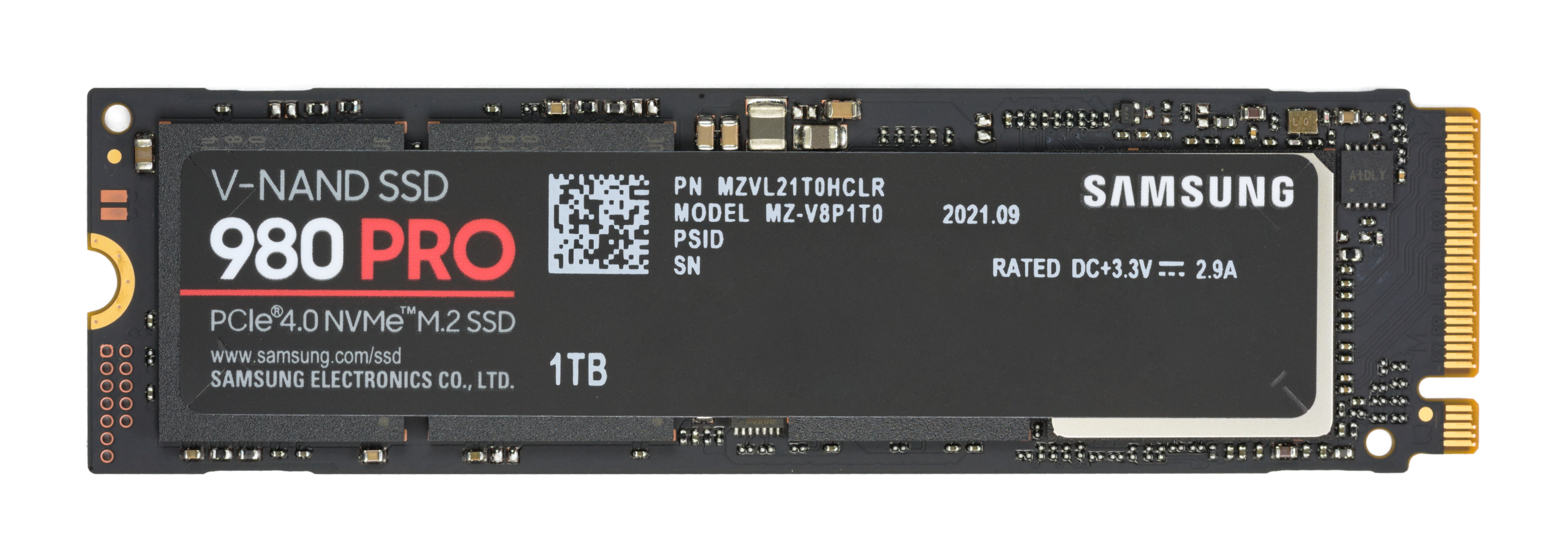
The drives look different too. A SATA SSD often comes in a 2.5-inch case with a cable, like a laptop hard drive. An NVMe SSD is a small stick that screws onto the motherboard, with no cables at all.
Both drives use flash memory to store data with no moving parts. The memory is the same idea in both, and the connection is what changes. That is why the speed gap is about the lane, not about the storage itself.
Boot Times and Everyday Use
Boot time shows a small gap. The difference is real, yet small enough that most users stop noticing after a week.
Everyday programs open fast on both drives. A browser, a document editor, and a messaging app load in a second or two on either drive. The bottleneck for these programs is the processor and the memory, not the drive speed.
File copying shows a bigger gap for large files. Copying a big video file runs faster on NVMe, because the drive feeds data at a higher rate. Copying small files, such as photos and documents, shows a smaller gap, because the overhead dominates.
For a general-use computer, a SATA SSD is still a good drive.
Games and Loading Times
Game load times improve on NVMe, but less than the paper numbers suggest. A game that loads in 30 seconds from a SATA SSD may load in 20 seconds from an NVMe SSD. The gain is welcome, but it is not the threefold gap the specs promise.
The reason is that loading a game is not just reading files. A faster drive removes only the reading part.
Open-world games benefit more, because they stream world data while you play. An NVMe drive feeds new areas faster, which reduces pop-in and stutter when you move fast. The gain shows in the game world, not just on the loading screen.
For a gaming PC, the smart setup is an NVMe drive for the active games and a SATA SSD or a hard drive for the rest of the library. The active games get the speed, while the library gets the cheap space.
Video Editing and Heavy Work
Video editing is where NVMe earns its price. Scrubbing a timeline, previewing effects, and exporting a finished video all read and write large files constantly. An NVMe drive keeps the timeline smooth where a SATA drive can stutter.
Large file transfers also favor NVMe. Moving a finished project, a backup, or a disk image takes far less time on a fast drive. For a professional who moves gigabytes daily, the time saved pays for the drive quickly.
Databases and virtual machines benefit too. A database that reads thousands of small records, or a virtual machine that boots inside a window, runs better on a fast drive with low latency. NVMe latency is lower than SATA, which helps these workloads.
If your work is documents, email, and browsing, NVMe is a luxury. The drive is faster, but the work never asks for that speed. Spend the difference on memory, a better monitor, or a bigger drive instead.
Price, Slots, and the Buying Rule
NVMe drives cost more per gigabyte than SATA drives of the same size, though the gap has shrunk. A small NVMe drive for the system plus a large SATA drive for storage is a common and sensible pairing that balances speed and cost.
Check the motherboard slots before you buy. An NVMe drive needs an M.2 slot with NVMe support, and a laptop may have only one slot. A desktop with spare slots can hold both an NVMe drive and a SATA drive with no trouble.
Heat is a point to watch. A fast NVMe drive can get hot under sustained load, and a hot drive slows down to protect itself. A motherboard heatsink or a cheap drive heatsink keeps the drive fast during long transfers.
The buying rule is simple: NVMe for the system and the active work, SATA for bulk storage and a second computer. A computer with a SATA SSD already feels fast, and the NVMe upgrade matters most when the work moves large files every day. The real-world differences are smaller than the spec sheets suggest.
Do not stop here. More nvme ideas are waiting below, beginning with NVMe SSD Crashing? Easy Fixes & Troubleshooting.
Related Articles:
- NVMe SSD Crashing? Easy Fixes & Troubleshooting
- NVMe SSD Setup: Boost Your Productivity
- NVMe SSD: Understanding Next-Generation Storage
What is your take?
Share your experience or questions in the comments — especially if you have used this tech yourself.
Found this useful? Share it with a friend who would want to know.