
5 min read
A power surge is a brief spike in voltage that pushes more electricity into your home than your devices expect. A normal wall outlet delivers a steady voltage, but a surge can raise that voltage for a fraction of a second or for several seconds. A small surge may pass unnoticed, while a large surge can fry a power supply, a motherboard, or a whole PC in an instant.
This guide explains what is a power surge and how it damages a PC. You will learn what causes surges, how the damage happens inside the computer, and which protections actually work to keep your PC safe.
What Causes a Power Surge
Lightning is the most dramatic cause. A lightning strike near a power line can send a huge spike through the grid and into homes nearby, even if the strike itself hits a tree or a pole a street away. The surge travels through power lines, phone lines, and cable lines, so it can reach a PC through any wired connection.
The power grid itself causes most everyday surges. When the power company switches circuits, restores power after an outage, or fixes a fault, the voltage can spike for a moment.
Faulty wiring adds a slower risk. A loose neutral wire, an overloaded circuit, or a damaged outlet can let the voltage drift high for seconds or minutes. That long overvoltage is more damaging than a brief spike, because it heats components steadily instead of striking once and passing.
How Surge Damage Happens
Inside a PC, the power supply is the first line of defense, and it is often the first victim. A surge can punch through the power supply insulation, burn its components, and pass the excess voltage on to the motherboard, the CPU, and the drives. A power supply that dies in a surge may look dead, but the damage can extend far beyond it.
Sensitive chips fail at voltages far below what a surge delivers. A CPU or memory chip runs on one to three volts, and a surge that pushes dozens of extra volts through the board can burn the tiny traces inside the chip. The damage is invisible from outside, and the PC may boot once and then fail, or never boot again.
Surges also reach a PC through network and cable lines. A surge on an Ethernet cable can burn the network port and the motherboard, even when the power line itself is protected. A surge on a phone or coaxial cable can do the same through a modem or a TV tuner.
Surge Protector Versus Power Strip
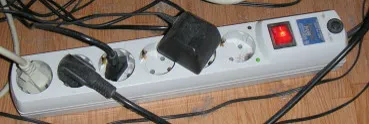
A power strip is just an extension cord with extra outlets, and it offers no surge protection at all. A surge protector looks similar, but it contains components that divert excess voltage to ground when a spike arrives. The difference is inside the device, so always read the label and the joule rating before you buy.
The joule rating tells you how much surge energy the protector can absorb over its life. A rating of 1000 joules or more suits a PC setup, while a small 300-joule protector is too weak for a desktop and its monitor. A higher rating lasts longer and survives more surges before it wears out.
Check for a protection indicator light. A surge protector that has absorbed a big surge may keep working as a power strip while its protection is gone. If the protection light goes out, or if the protector is more than three to five years old, replace it, since it may no longer protect anything.
UPS and Whole-Home Protection
A UPS, an uninterruptible power supply, is a battery backup that also filters surges and cleans the power. When the power dips or spikes, the UPS holds the voltage steady and gives you minutes to save your work and shut down safely.
Pick a UPS rated for your PC and monitor, with enough wattage to cover both. A UPS that is too small shuts down under load or beeps constantly, while a UPS with a comfortable margin runs quietly and lasts longer. Replace the UPS battery every three to five years, since a dead battery turns the UPS into an expensive power strip.
Whole-home surge protection adds a device at the main breaker panel that shields every outlet in the house. It costs more than a plug-in protector, but it stops surges before they reach any room.
What to Do After a Surge
After a suspected surge, unplug the PC and inspect the surge protector. If the protector smells burnt, shows scorch marks, or lost its protection light, replace it before you plug anything back in. Do not trust a protector that took a direct lightning surge, even if it still passes power.
Test the PC step by step. Plug it into a known-good outlet with a new protector, and watch for a normal boot. If the PC boots, back up your files right away, since a surge can weaken components that fail days later. If the PC does not boot, test the power supply first, since it is the most likely victim and the cheapest to replace.
Document the damage for an insurance claim if the surge was large. Photograph the protector, the outlet, and any scorch marks, and keep the receipts for replacements.
That is the short version. For the longer one, work through the power-protection guides below.