
5 min read
A smartphone charging port collects lint, dust, and pocket fluff every day, and that debris slowly pushes the cable out until charging turns slow or stops. Cleaning the port fixes many charging problems, but one careless poke with a metal pin can bend the contacts or short the port. The safe method uses the right tools and a light touch.
This guide shows how to clean a smartphone charging port safely. You will learn how to spot a dirty port, which tools are safe and which ones to avoid, the step-by-step cleaning method, and how to keep the port clean so you do not need to clean it often.
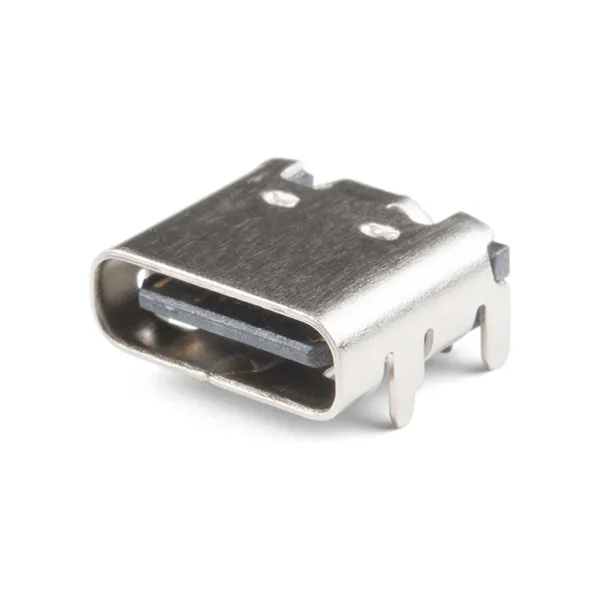
Signs the Port Is Dirty
The clearest sign is a cable that no longer clicks in firmly. If the plug feels loose, wobbles, or falls out with a light tug, lint is probably blocking the bottom of the port.
Slow charging is another warning sign. A port half full of lint still lets the cable in part of the way, so the phone charges at a trickle instead of fast charging. If a new cable and a known-good charger still charge slowly, the port is the likely suspect, not the accessories.
Look into the port with a flashlight before you clean it. You can often see a gray or white mat of lint packed against the back wall, or a dark ring around the contacts. A clean port shows bare metal contacts and an empty space around them.
Tools That Are Safe and Tools to Avoid
The safest tool is a wooden or plastic toothpick with a blunt tip. Wood and plastic do not conduct electricity and are soft enough that they will not scratch the contacts if you use a light touch. A plastic dental pick, a soft brush, or a wooden skewer with the sharp point broken off also works well.
Use a can of compressed air with short bursts, held upright, if you want to blow loose dust out first. Hold the can upright so no liquid propellant sprays into the port, and keep the nozzle a few inches away. A soft, dry toothbrush can loosen dust around the rim without pushing it deeper.
Never use a metal pin, a needle, a paperclip, or a SIM ejector tool inside the port. Metal can bend the pins, scratch the coating off the contacts, or short two contacts together while the phone is on.
Clean the Port Step by Step
Start by turning the phone off completely. A powered-off phone cannot short if a tool touches two contacts, and it stops the phone from reacting to the cleaning as if you plugged in a cable. Remove the case so you can see the port clearly and hold the phone with the port facing down.
Gently scrape the lint with the toothpick, using light strokes from the back wall toward the opening, and let the debris fall out instead of pushing it deeper. Work along the bottom of the port first, where lint packs hardest, then along the sides.
Finish with a short burst of compressed air to blow out the last dust, then inspect the port again with the flashlight. The contacts should look clean and the port should be empty. Repeat the scraping once if you still see lint, but do not dig for a third round.
Test Charging After Cleaning
Turn the phone on and plug in the cable you normally use. The plug should slide in fully and click into place with a firm feel, and the phone should start charging right away without wiggling. Check that fast charging works by watching the charging indicator or the estimated time on the lock screen.
Test with a second cable if the first one still feels loose. A worn cable can feel loose in a clean port, and it is easy to blame the port for a cable problem. If both cables click in firmly and charge normally, the cleaning worked and the port is healthy again.
If the cable still falls out or charges only at an angle, the port may be physically worn, not just dirty. Years of plugging and unplugging wear down the spring clips inside the port, and no amount of cleaning restores them.
Keep the Port Clean Longer
The simplest habit is to keep the phone in a pocket without loose lint. A pocket full of tissue paper, crumbs, or fabric fluff pushes debris into the port every time you slide the phone in. Use a pocket that holds only the phone, or carry the phone with the port facing up so lint falls away from the opening.
A port plug or a dust cover costs very little and blocks debris entirely. These small silicone plugs sit in the port when you are not charging and pop out in a second. They work best for people who carry the phone in a bag or a work pocket full of dust and fibers.
Clean the port lightly every few months, even when charging feels fine. A quick look with a flashlight and a gentle pass with a toothpick prevents the hard-packed lint that causes most charging failures. A two-minute check four times a year keeps the port working like new for the life of the phone.
Keep this tab open a moment longer: below are more Smartphone articles chosen to follow this one, led by How to Fix Dead Pixels on Phone: Best Solutions & Guide.
Reference: Safely — Wikipedia