
5 min read
A Bluetooth earbud case that will not charge can leave you with two dead earbuds and no way to top them up on the go. The case is the charger, the battery bank, and the storage box in one small package, so when it stops taking power, the whole set becomes useless even though the earbuds themselves may be fine. The good news is that most charging failures come from dirt, a loose cable, or a drained battery, not from a dead case.
This guide shows how to fix a Bluetooth earbud case that will not charge. You will check the contacts and the cable first, then clean the charging pins, then reset the case, and you will learn how to tell when the case battery itself has reached the end of its life.
Check the Cable and Power Source First
Start with the simplest parts: the cable and the charger. Many earbud cases charge over USB-C or micro-USB, and a cable that works for data may still fail to deliver power if one wire inside is broken.
Watch the indicator light while you test. Most cases show a red, amber, or blinking light when they start charging, and some show nothing for a minute or two if the battery is fully flat. Leave the case plugged in for at least fifteen minutes before you decide that nothing is happening.
Also try a different wall outlet. A loose outlet or a faulty power strip can cut power without any visible sign. If the case charges on one outlet but not another, the case was never the problem. If no combination of cable, charger, and outlet produces a light, move on to the contacts inside the case.
Clean the Charging Contacts and Pins
Pocket lint, earwax dust, and sweat leave a thin film on the metal contacts inside the case, and that film is enough to break the charging circuit. Open the case, take the earbuds out, and look at the small metal pins in the bottom of each earbud slot.
Clean the pins with a dry cotton swab, using light pressure and a gentle twisting motion. For stubborn grime, dampen the swab with a tiny amount of isopropyl alcohol, wipe the pins, and let the case dry completely before you charge it again.
Clean the matching contact pads on the earbuds themselves, too. The earbuds carry the same film on the small gold dots on their inner side. Wipe each pad with a dry cloth, seat the earbuds firmly in the case, and check that they click or snap into place.
Seat the Earbuds Correctly and Close the Lid
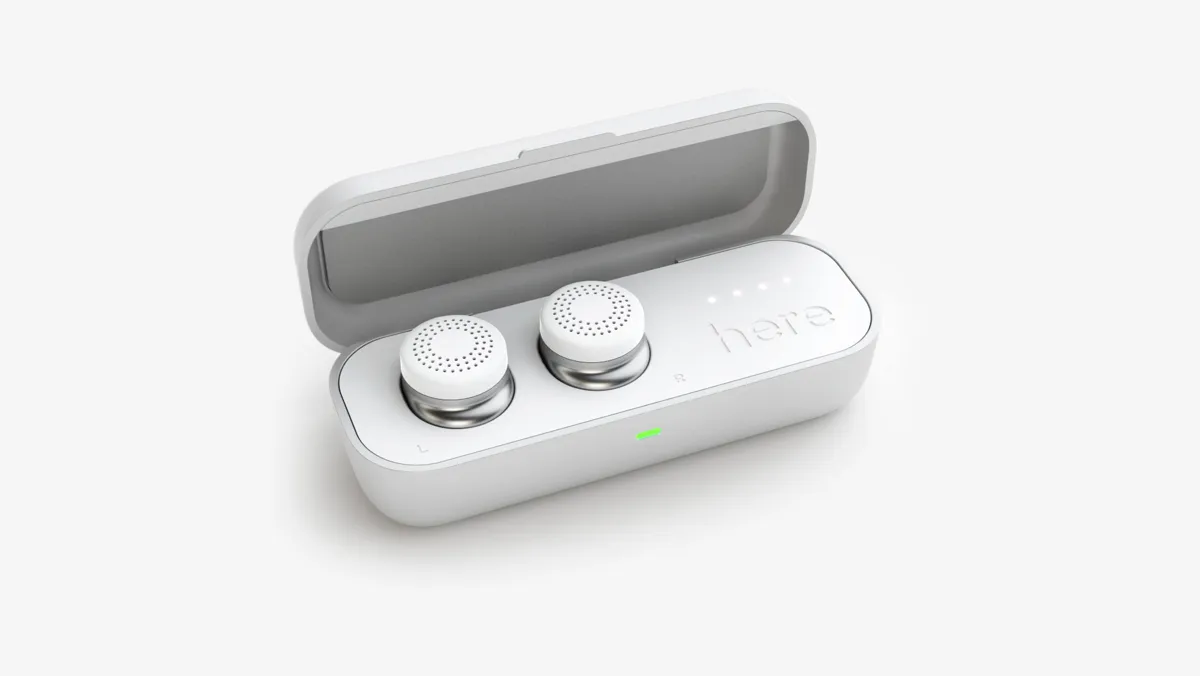
A case can look broken when the earbuds are simply seated in the wrong slots. Most cases mark the left and right slots with small L and R letters, and some earbuds only charge when they sit in their own slot. If you swapped the earbuds, the magnets may still pull them in, but the contact pads will not line up with the pins.
The lid matters as well. Many cases only charge the earbuds when the lid is fully closed, because the lid presses the earbuds down onto the pins. A case with a cracked hinge or a lid that does not close fully may fail to press the earbuds down, so the earbuds never connect.
If the lid feels loose, check for debris in the hinge and around the rim. A grain of sand or a piece of lint in the hinge can stop the lid from closing all the way. Brush the hinge area clean with a soft brush, close the lid, and watch for the charging light.
Reset the Case and the Earbuds
When the hardware looks clean and the cable works, a firmware glitch may be blocking the charge. Many earbud cases have a reset procedure, usually holding the button on the case for ten to fifteen seconds until the light flashes in a new pattern.
Some earbuds also need their own reset. Put both earbuds in the case, leave the lid open, and hold the touch panels or buttons on both earbuds for several seconds until their lights flash. Then close the lid, wait a minute, and plug the case in again.
If your earbuds have a companion app, open it after the reset and check the battery levels of the case and each earbud. The app often shows whether the case is charging, whether one earbud drains faster than the other, and whether a firmware update is available.
When the Case Battery Is Truly Dead
If the case charges nothing after a good cable, clean contacts, correct seating, and a reset, the internal battery may be worn out. Earbud case batteries are small lithium cells, and they lose capacity after hundreds of charge cycles.
Check the warranty before you open anything. Most earbud makers cover the case for one year, and some cover it longer. Contact support, describe the steps you already tried, and ask about a case-only replacement.
Do not try to replace the case battery yourself unless you have repair experience. The battery is glued or soldered in a tiny sealed shell, and a punctured lithium cell can catch fire. If the case is out of warranty, compare the price of a genuine replacement case with the price of a new set.
Like this one? The short list below is built from the same shelf, and Bluetooth Earbuds Settings: A Beginner's Guide is a strong next pick.