
5 min read
A network switch and a router both have rows of Ethernet ports, and they both move data around a home or office. It is easy to confuse them, but they do different jobs. The router connects your network to the internet, while the switch connects devices to each other inside that network.
Understanding the difference saves money and prevents a common mistake: buying a switch when you actually need a router, or vice versa. This guide explains what each device does and when you need:
- One
- The other
- Or both
What a Network Switch Does
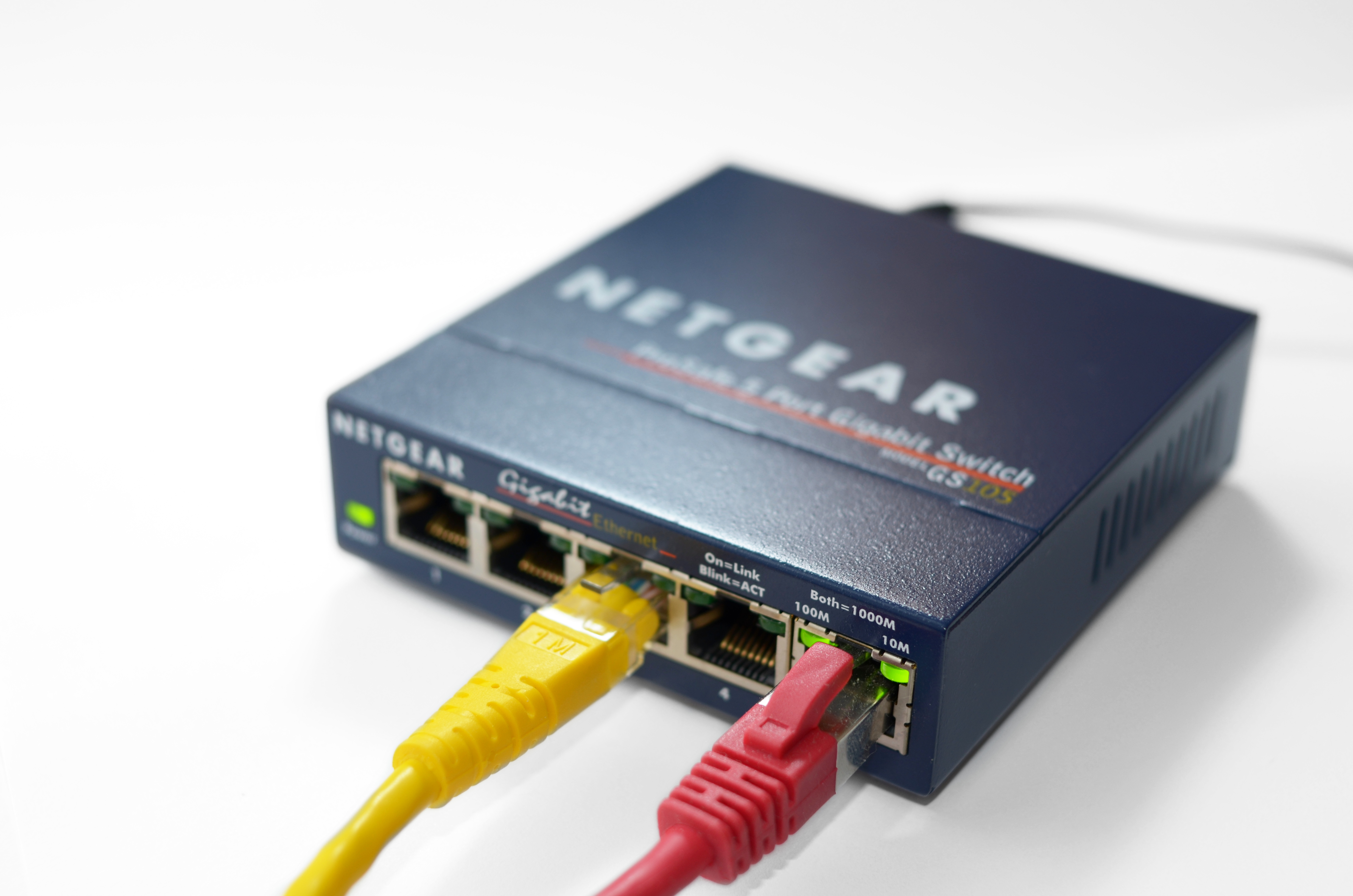
A switch is a device that connects several wired devices together on the same local network. You plug computers, game consoles, printers, and access points into its ports, and it forwards data between them. A typical home switch has five or eight ports, while office switches can have dozens. A switch differs from a router in one clear way: it connects devices inside one network, while a router connects that network to the internet.
The switch is smart about delivery. It learns which device is on each port and sends each packet only to the port where the destination device lives. This keeps traffic efficient and avoids flooding the whole network with data meant for one device.
A switch does not create a network by itself. It has no modem, no internet connection, and usually no ability to assign addresses. It extends a network that already exists, giving you more wired ports than your router provides.
What a Router Does
A router connects your local network to the internet. It takes the single connection from your modem and shares it with every device in the house. It also assigns local addresses to those devices, so they can find each other and reach the outside world.
The router also acts as a gatekeeper. It uses a firewall to block unwanted incoming traffic, and it uses network address translation to let many devices share one public address. These jobs belong to the router, not to a switch, and they are why every home needs a router.
Most home routers combine several devices in one box: a router, a switch with a few ports, and a Wi-Fi access point. That is why the back of a typical router has four Ethernet ports. Those ports are a built-in switch, and when they run out, you add a separate switch.
The Key Differences Side by Side
The simplest difference is direction. A switch moves data between devices inside one network, while a router moves data between networks, most importantly between your home and the internet. If the internet goes down but the local network still works, the switch is doing its job and the router is the problem.
Another difference is addressing. A router assigns IP addresses and manages traffic between networks. A basic unmanaged switch does not assign addresses at all; it simply forwards frames based on hardware addresses. Managed switches can do more, but they still do not replace a router.
Price reflects the difference. A basic five-port gigabit switch is cheap, because it does one simple job well. A router costs more, because it contains a processor, a firewall, Wi-Fi radios, and software that must be kept updated for security.
When You Need a Switch
You need a switch when you run out of wired ports. A home office with a desktop, a printer, a game console, and a network drive can easily exceed the four ports on a router. A single switch plugged into the router adds enough ports for all of them, and every device gets a fast wired connection.
A switch also helps when devices are far from the router. Instead of running four long cables back to the router, you run one cable to a switch in that room, then short cables to each device. This is the standard approach for a home office or an entertainment center.
For gaming and media, a wired switch is better than Wi-Fi. A cable connection has lower latency and steadier speeds, which matters for online games and for streaming high-quality video to a TV. A gigabit switch is enough for almost every home use.
A managed switch adds features such as virtual networks and traffic monitoring, but a home user rarely needs them. An unmanaged switch works out of the box with no configuration, and it costs less. Unless you run a home lab or a small business network, the unmanaged switch is the right choice.
How to Connect Them Correctly
The standard setup is simple. The modem connects to the router, and the router connects to the switch with one Ethernet cable. Every other device plugs into the switch. The router still assigns addresses and manages the internet, and the switch simply extends the wired network.
Use a good cable for the link between router and switch, because all traffic from the switch flows through that one cable. A gigabit switch with a gigabit link to the router will handle normal home traffic easily.
Do not connect a second router where a switch belongs unless you know how to configure it. A second router can create a separate network, double address translation, and confusing problems with printers and file sharing. If you only need more ports, a switch is the correct and simpler device.
Do not stop here. More networking ideas are waiting below, beginning with WiFi Router: How It Works & Everything You Need to Know.
Related Articles:
- WiFi Router: How It Works & Everything You Need to Know
- Mikrotik RouterOS Configuration: A Beginner's Guide
- What Is a MAC Address and How to Find It on Any Device
What is your take?
Share your experience or questions in the comments — especially if you have used this tech yourself.
Found this useful? Share it with a friend who would want to know.